










Single-board computers have captured the imagination of makers for years. They can be used for all kinds of robotics and Internet of Things applications. The Raspberry Pi is very capable but you may need more power for highly complex projects. That’s where the LattePanda IOTA comes in. It is a palm-sized x86 single-board computer that can run Windows 11 right out of the box. It can also run Linux, making it quite versatile for all kinds of tasks. It is powered by an Intel N150 processor with 4 cores and a max turbo frequency of 3.6 GHz, making it ideal for robotics, machine vision, AI, and other applications. It also has an RP2040 co-processor. The good folks at DFRobot were kind enough to send us a complete package to test. Let’s see what we were sent:
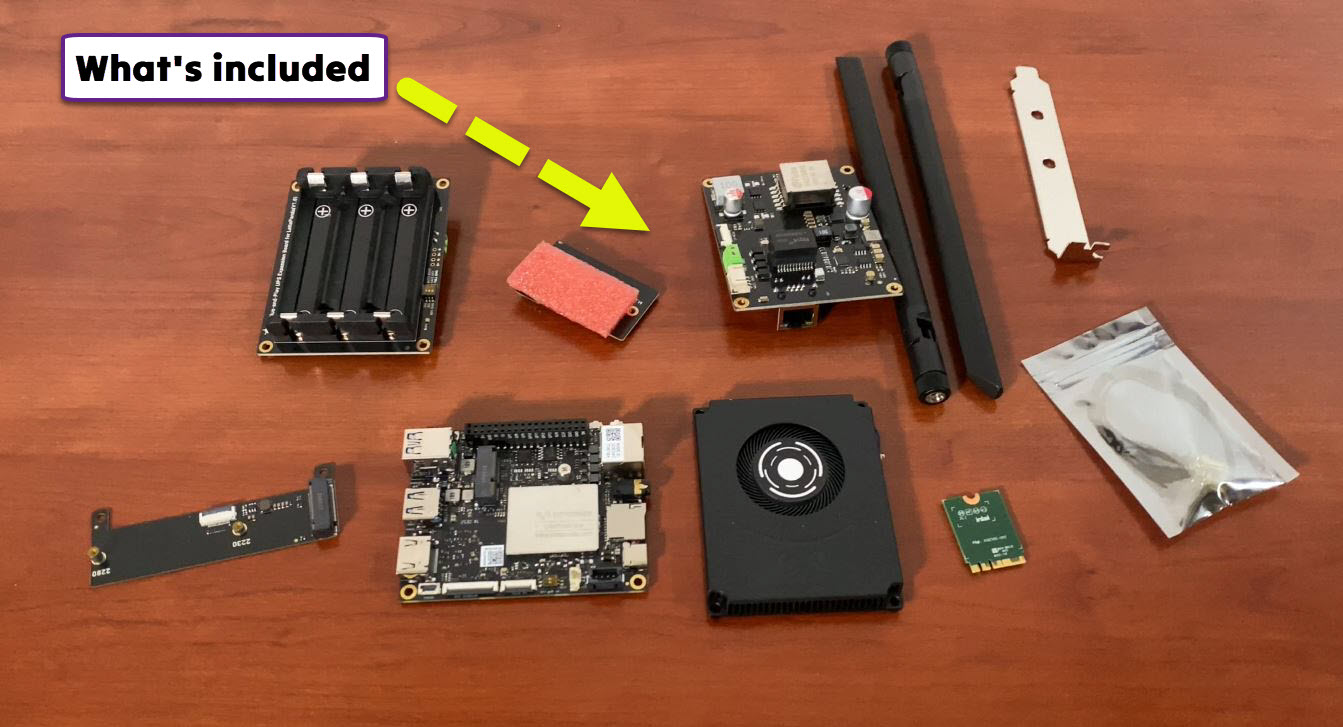
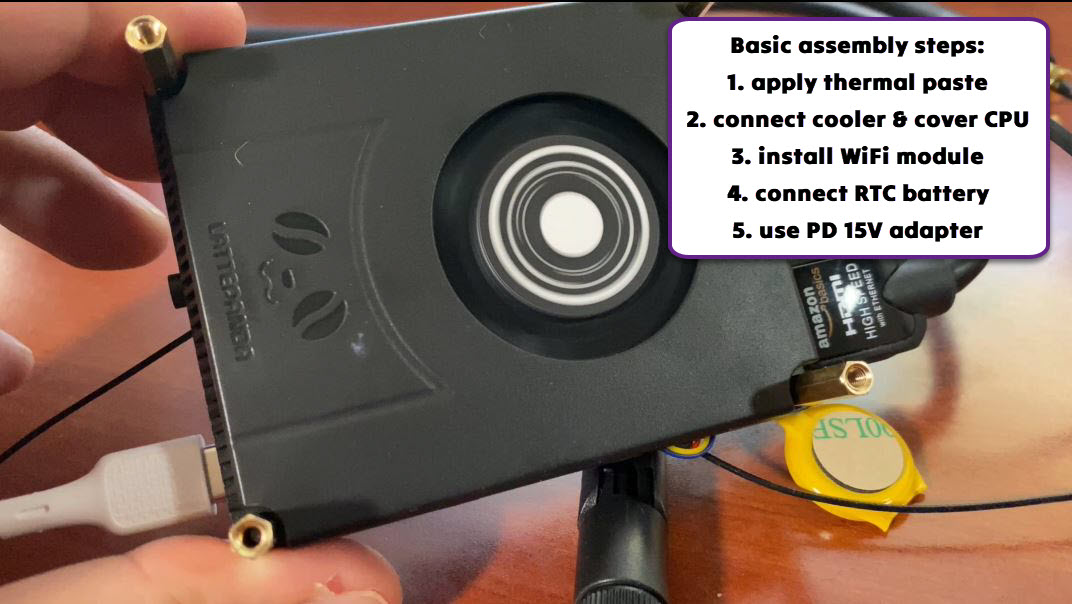
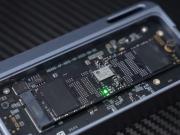
We were sent a LattePanda IOTA with 8 GB RAM and 64 GB of storage space. For something like this, you are going to need a decent cooler, which in our case was included. We were also sent a smart UPS HAT, PoE++ Hat, M.2 4G expansion board and an M.2 M-key SSD expansion board. There was also a WiFi module with antennas, which you can use for wireless applications. Even with little experience on this platform, we were able to put the most basic configuration together. For that, we used the cooler, the main board, an RTC battery that was included in the package, thermal paste, and the WiFi module.
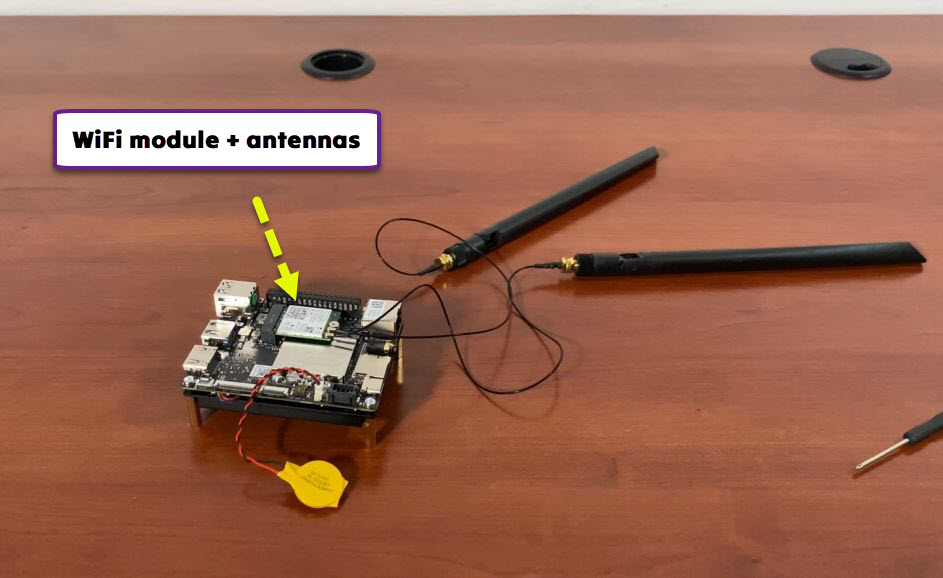
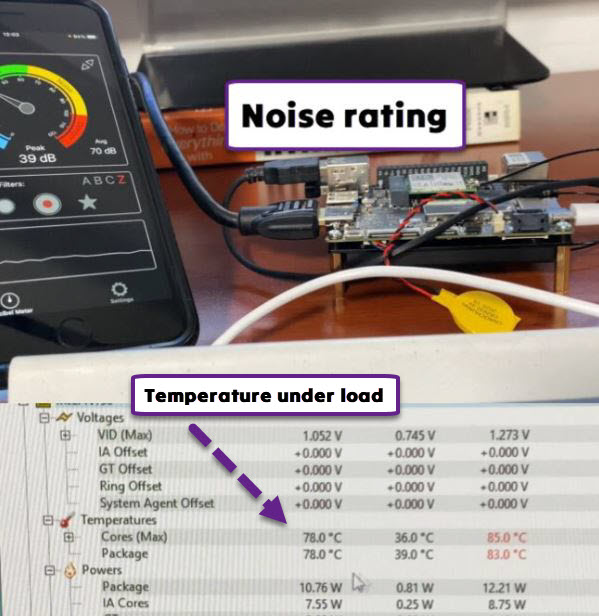
The IOTA was compact enough to fit in the palm of our hand. It looks like a tiny motherboard with a tiny processor already installed. To get it going, you will have to apply some thermal paste on the back, attach the fan and RTC battery, and use a power source (15 V). You can try to get this working without a fan, but the processor will get hot enough to trigger thermal protection. With the fan, we never went past 85 °C when pushing the processor to the extreme.
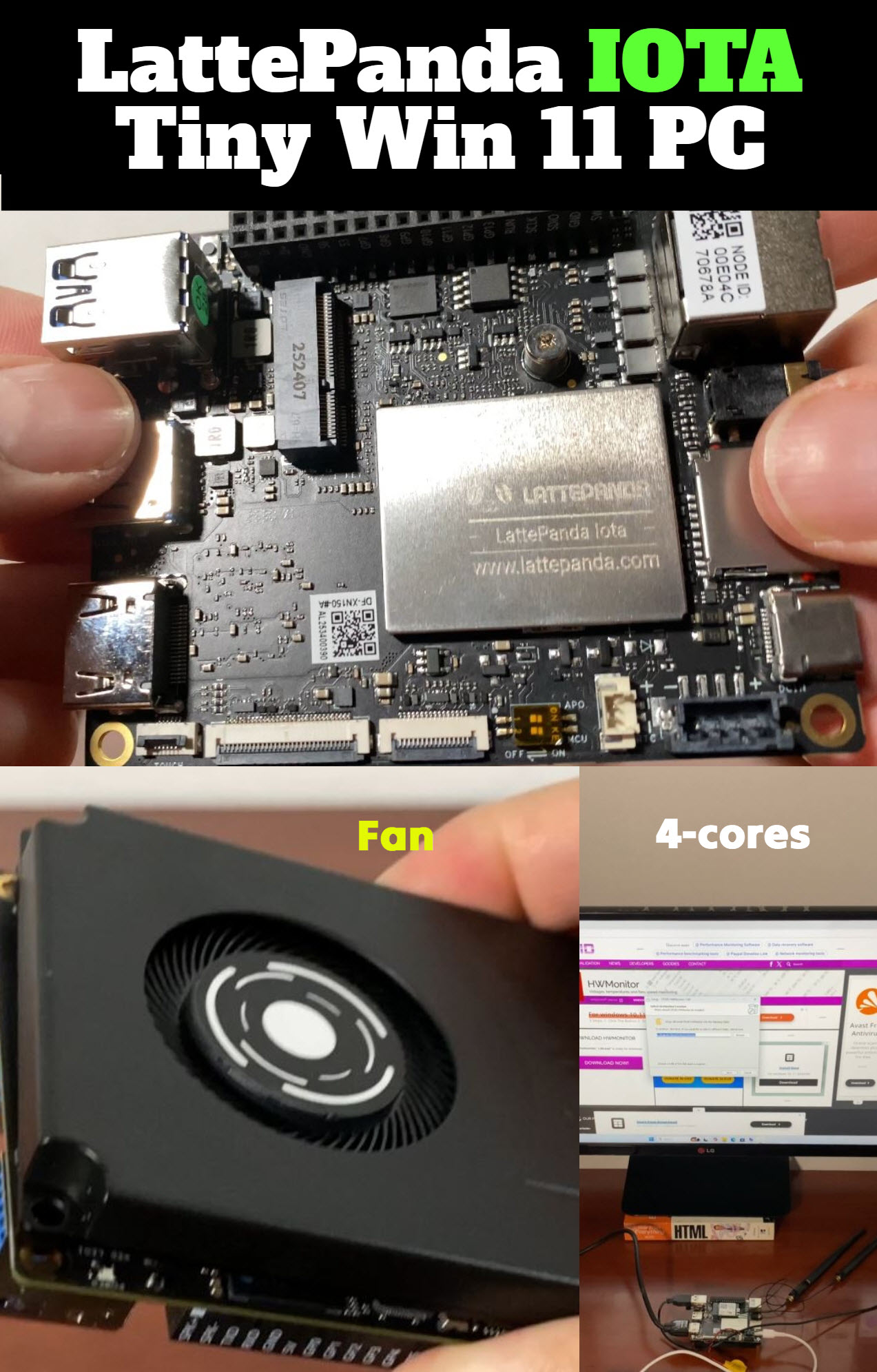
Before putting this board to use, we simply spent a little bit of time getting familiar with all the buttons and ports. IOTA comes with 3x USB 3.2 10 Gbps ports, which you can use to attach your peripherals. You also get the following connectors:
- TF card slot
- headphone jack
- HDMI 2.1
- I2C Touch, eDP Display, PCIe Flexible Printed Circuit (FPC)

It took us about 10 minutes to apply thermal paste, attach the fan, battery, and WiFi module, and start this mini computer. To our surprise, ours came with Windows 11 already installed, so we really didn’t have to do a whole lot. The fan ran continuously for a couple of minutes but then it went silent. It only activates when needed to keep IOTA performing at its best. The noise rating was as low as 39 dB. We were able to connect IOTA to a LG 34-inch monitor with 2560 x 1080 resolution. It also worked very well with our Logitech K780 wireless keyboard.
We used HWMonitor to check the temperature of the device as we installed apps such as Arena Chess, Stockfish, and Gemini CLI. It never went over 85 °C for us, even under load. Max fan noise level was around 55 dB. Our IOTA loaded in about 25 seconds. While we used a USB-C adapter, it is possible to use a 4-pin PH 2.0 power connector (10-15V) to power this.
For our tests, we got Gemini CLI running on LattePanda IOTA. First, we used WSL to install and launch a version of Linux that is suitable for this project (wsl –install -d Ubuntu). We ran the following commands to make sure the environment was ready for Gemini.
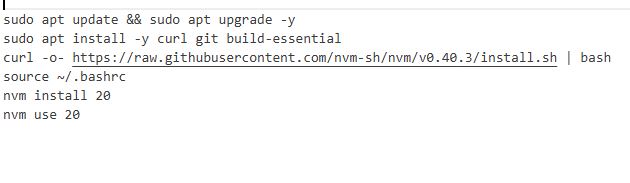
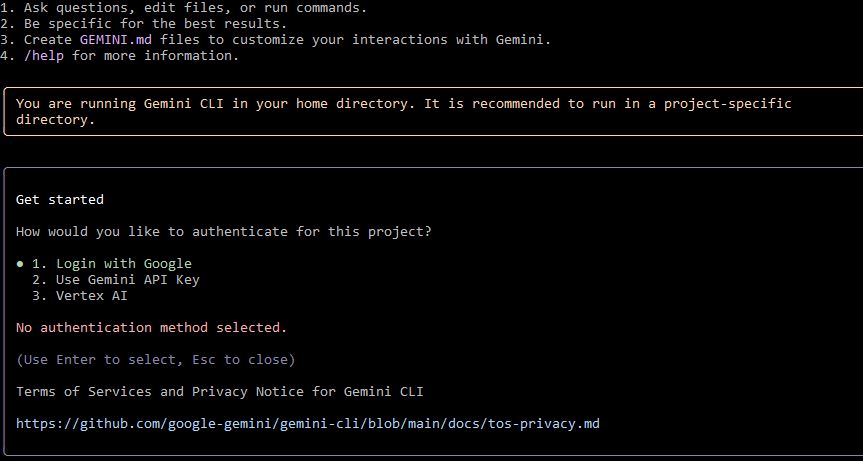
Finally, we used “npm install -g @google/gemini-cli” to install Gemini. Once there, we just had to grab our API from Google AI Studio, and the rest was easy. When you run the Gemini command in your terminal, you will be given the following choices (we went with #2).
During the entire process, we never had an issue with IOTA. It ran like a very capable Windows computer. The temperature remained in the normal range, and we didn’t experience any throttling.
Overall, the LattePanda IOTA is a fantastic pickup for anyone interested in DIY robots and other fun projects. Even beginners can get started with this in minutes. If you can apply thermal paste and attach a couple of screws, you will be able to get going with the IOTA. You can simply use this as a Windows/Ubuntu PC to interact with LLMs or for more advanced tasks such as object detection and gesture recognition. IOTA could very well be the brain of your robot. We do recommend the 16 GB version for more resource-intensive apps.